


Enhance Pro
4.4768.00 Reviews
App Specs
- Version
- 1.43.1
- Updated On
- License
- Free
- Downloads
- 100,000+
- Developer
- GN Hearing
- Categories
- Medical
- Platform
- Android
Screenshots
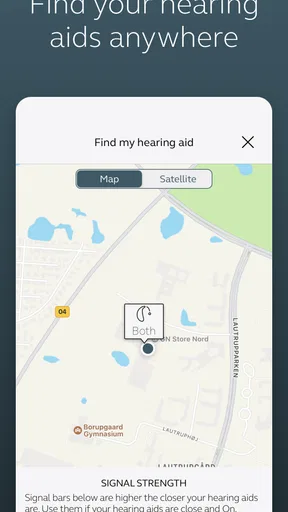
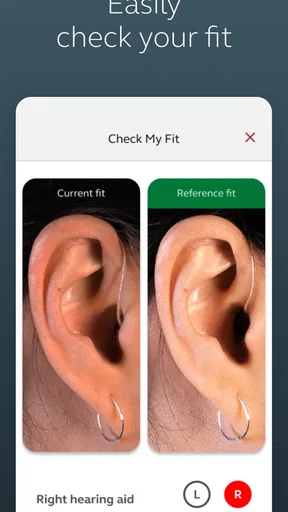
 Analysis by AppCompare
I spent time with Enhance Pro as a medical app built specifically around compatible hearing aids from GN Hearing. Its purpose is straightforward: give hearing-aid users a phone-based place to manage and interact with their devices instead of relying only on physical controls or visiting a hearing-care professional for every small adjustment. That focus makes it very different from a general hearing-test app or a sound-amplification tool for people who do not use hearing aids.
My overall impression is that it works best as a daily companion rather than a standalone hearing solution. If your hearing aids are supported, the app can make ordinary routines feel more manageable by putting relevant controls on the phone you already carry. If you do not own compatible devices, however, there is little reason to install it. The value depends heavily on that hardware connection, so the first question is not whether the app is attractive or free, but whether it matches your particular hearing-aid setup.
What the app does for hearing-aid users
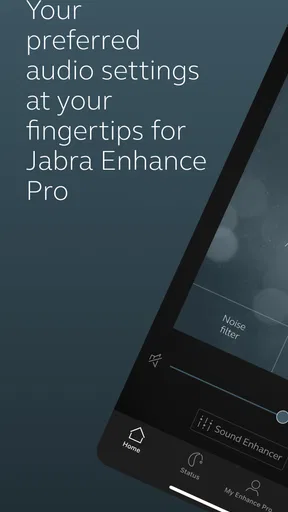
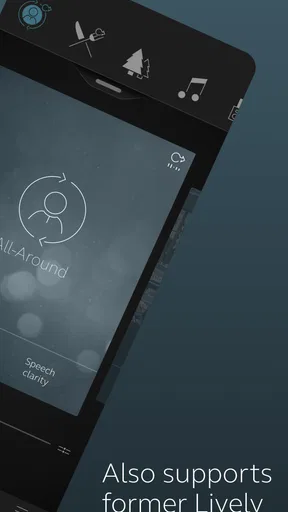
The app sits in the medical category and is developed by GN Hearing. The store summary identifies it as being for Jabra Enhance Pro hearing aids, which tells you more about its role than a broad label such as “hearing assistant” would. I would approach it as a companion controller and support layer for a hearing-aid system, not as a replacement for professional fitting, diagnosis, or medical advice.
That distinction matters. A phone app cannot correct every hearing difficulty by itself, and it cannot turn ordinary headphones into properly fitted hearing aids. The useful experience begins when the hearing aids have already been selected and adjusted for the wearer. From there, the phone becomes a more convenient interface for everyday use.
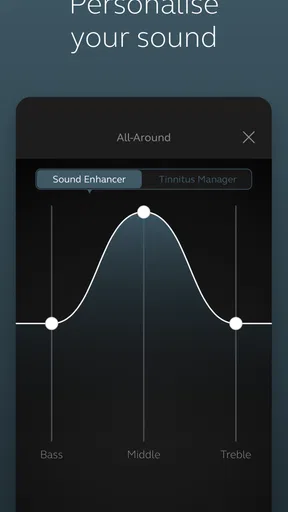
In practical terms, this kind of companion is most helpful when your listening situation changes throughout the day. A quiet room, a busy street, a family meal, and a television session can place different demands on hearing. Having the app available means you can manage the hearing-aid experience from the same device you use for messages, calls, and reminders, rather than treating each change as a reason to handle the aids directly.
I also like the fact that the app has a focused purpose. It is not trying to be a social network, a general wellness dashboard, or an entertainment platform. That narrow design can be reassuring for someone who wants fewer distractions and a clear connection between the app and their hearing routine.
Cost is simple, but compatibility determines the real value
The app is free to download, and that makes trying it less risky than committing to another paid medical utility. There is no purchase price for accessing the application itself. That is the clearest value point: if you already have the compatible hearing-aid hardware, you can explore the companion without adding an app charge to the setup.
Worth Reading Before You Choose

EA SPORTS FC Mobile 26 Is a Bigger Football Game, but It Takes Time

Flipboard Shows What News Apps Must Do Beyond the Feed

Switching to Android Auto Means Rethinking Your Driving Routine

Google Calendar Makes a Crowded Week Easier to Manage

Ludo King Makes the Most of the Minutes Between Plans

Baby Panda World Brings Quick Play to Modern Phones, but Its Game Library Feels Busy
Free access should not be confused with a complete hearing solution at no cost. The app is tied to hearing aids, so the larger expense is the hardware and professional care surrounding it. I would not choose or buy hearing aids solely because their companion app is free. The fit, sound quality, support, and suitability of the devices matter much more than the phone interface.
That is also why the app makes sense for an existing owner more than for someone researching hearing help from scratch. An existing user can install it and judge whether the phone-based controls improve daily convenience. A person without the relevant hearing aids has no comparable benefit to evaluate, even though the download itself costs nothing.
The age rating is Everyone, which is appropriate for a practical health-related tool intended for broad use. The application was released on May 18, 2021, and its current version is 1.43.1. It requires Android 8.0 or later. Those details are worth checking before installation, particularly if the app is being set up on an older phone belonging to a parent or another family member.
Where the app earns its place in a daily routine
The strongest benefit is convenience at the moment when convenience matters. Imagine leaving home for a quiet morning and later joining a crowded lunch. Instead of treating the hearing aids as fixed equipment that must be tolerated in every environment, you can use the companion app as part of the transition between those situations. The phone is already in your pocket, so the interaction can feel more natural than searching for a tiny control.
Another useful scenario is shared decision-making. A family member may help an older user set up the hearing aids, check whether the app is installed, or remember which phone to use. After that initial support, the wearer can have a more visible interface than the small controls on the devices themselves. This can reduce the frustration that comes from trying to remember what a button press means.
I see particular value for people who dislike fiddly hardware controls. Hearing aids are small by design, and small controls are not equally comfortable for everyone. Limited dexterity, reduced vision, or simply not wanting to touch the devices repeatedly can make phone-based management preferable. The advantage is not flashy; it is the removal of a small obstacle that appears several times a day.
There is also a useful psychological benefit to having the settings interaction in a familiar environment. Someone who is already comfortable using a smartphone may find an app less intimidating than a dedicated accessory. That does not guarantee that every user will find the interface easy, but the phone can provide a more recognizable starting point than unfamiliar hearing-aid controls.
What I would check before relying on it
The first check is model compatibility. The name and store summary make clear that this is intended for Jabra Enhance Pro hearing aids, so I would confirm the exact hearing-aid model before spending time on installation. Do not assume that every GN Hearing product, every Jabra-branded device, or every hearing aid with a similar name will behave identically with this app.
The second check is the phone itself. Android 8.0 or newer is required, and that is only the basic operating-system condition. In real use, the phone also needs to be the device you regularly carry and understand. Installing the app on a spare phone that stays at home may technically work, but it defeats much of the point of having quick access during changing listening situations.
I would also set expectations around setup. A hearing-aid companion is not the place to make aggressive changes simply because a sound feels unusual for a few minutes. Hearing comfort can depend on the room, the speaker, background noise, and your own listening fatigue. I prefer a measured workflow: make one adjustment, spend enough time in the same situation to judge it, and avoid changing several things at once.
For a family helping someone else, the most useful preparation is probably not a long explanation of every control. It is a simple routine: identify the correct phone, keep the app easy to find, and agree on what to do if the hearing aids stop connecting or a setting feels wrong. That kind of preparation is more valuable than assuming the app will remove every technical problem.
Tradeoffs that are easy to overlook
The largest tradeoff is dependence on the hearing-aid ecosystem. This is not a universal hearing tool that can be recommended to anyone with hearing difficulty. Its usefulness rises sharply for the intended hardware owner and falls sharply for everyone else. A general hearing-health app may be a better starting point for someone who has not yet been assessed, while this app is more relevant after the hearing-aid decision has already been made.
Another tradeoff is that phone control adds a second device to the routine. Some users will appreciate that; others may prefer the simplicity of using the hearing aids without opening an app. If you are the kind of person who wants technology to disappear once it has been configured, the application may feel unnecessary on ordinary days. Its value appears when you need control, not necessarily every minute you wear the aids.
There is also a learning curve, even if the app is designed to be approachable. Hearing-related controls can feel more consequential than changing a music setting because the result affects conversations and confidence. A user may hesitate to experiment, especially after an uncomfortable first attempt. I would introduce it gradually, using familiar environments before relying on it in an important appointment or crowded event.
Bluetooth-style device connections can also be a source of friction in any hearing-aid companion workflow, even when the app itself is well designed. Phones change, settings change, and connections sometimes need attention. I would not treat the app as the only way to operate the hearing aids. Keeping basic familiarity with the physical devices is sensible, especially when the phone battery is low or the phone is not nearby.
The app should not be used to postpone professional help when hearing suddenly changes, one ear seems noticeably different, or sound becomes painful. A companion app can improve control over a hearing-aid experience, but it is not a diagnostic service. That is an important boundary, particularly because medical apps can create a false sense that every problem has a software solution.
How it compares with the usual alternatives
The closest alternative is often the hearing aids’ own physical controls. Those controls have one major advantage: they remain available without navigating a phone. For a user who wants a quick, tactile interaction and has no trouble handling the devices, physical controls may be enough. The app becomes more appealing when the wearer wants a larger interface or finds the hardware buttons difficult to use.
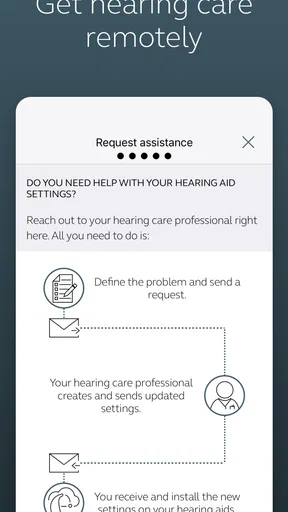
Another alternative is asking a hearing-care professional to make every adjustment. Professional support remains essential for fitting and more serious concerns, but it is not always convenient for small changes in daily comfort. The app can occupy the middle ground between doing nothing and arranging an appointment. That does not make it a substitute for care; it makes the routine more flexible.
General sound-amplifying or hearing-test apps serve a different audience. They may help someone explore hearing concerns or modify audio in a limited situation, but they do not offer the same device-specific relationship as a companion for Jabra Enhance Pro hearing aids. Choosing between them depends on where you are in the process: investigation, temporary assistance, or ongoing management of fitted hearing aids.
Finally, some people may prefer a dedicated remote accessory or a family member’s help. That can be better for a wearer who rarely uses a smartphone or finds phone menus confusing. The app has an advantage when the user is already comfortable with the phone and wants fewer separate devices. It has a disadvantage when the phone itself is the main source of frustration.
Who is most likely to get real value
I would recommend trying it first to owners of compatible Jabra Enhance Pro hearing aids who use an Android phone running Android 8.0 or later. The best candidates are people who want more visible control, regularly move between quiet and noisy environments, or find small hearing-aid buttons awkward. For them, the free app can add practical value without requiring another purchase for the application.
It can also suit a relative who helps an older adult manage hearing technology. The helper can support installation and the first setup, then encourage the wearer to use the app independently for ordinary adjustments. That arrangement works best when the wearer already has basic smartphone confidence and does not feel pressured to change settings constantly.
I would be more cautious about recommending it to someone who has not had a hearing assessment, someone looking for a hearing test, or someone expecting the app to improve hearing without compatible hardware. It is also not my first choice for a person who strongly dislikes smartphones. In that case, physical controls, professional guidance, or a simpler dedicated accessory may provide a calmer experience.
The rating of 4.4 from around 7,400 ratings suggests that many users find the app worthwhile, while the roughly 768 written reviews indicate a substantial amount of user feedback. I treat those figures as useful context rather than a promise. A strong average cannot overcome a compatibility mismatch, and a lower personal score would be understandable if the phone, hearing aids, or connection routine did not fit the user’s needs.
The app has passed the 100,000-install mark, which gives it a meaningful user base for a specialized hearing-aid companion. Still, popularity is secondary to whether your exact device and daily habits line up with its purpose. I would use the install count as reassurance that it is an established option, not as proof that it is the right choice for every hearing-aid wearer.
My practical verdict
My recommendation is a conditional yes. If you own compatible Jabra Enhance Pro hearing aids and use a suitable Android phone, Enhance Pro is worth trying because it is free, focused, and aimed at a real everyday need: making hearing-aid management less fiddly. I especially see its value for users who want phone-based control during changing environments or who struggle with tiny device controls.
I would skip it if you do not have the intended hearing aids, if you are searching for a diagnostic hearing test, or if you want a standalone sound-amplification app. I would also avoid making it the center of your support plan. Keep professional hearing care in the picture, learn the basic physical controls, and treat the app as a convenience layer rather than a cure or a guarantee of better hearing.
In the end, the free price is a genuine advantage, but it is not the whole value calculation. The app earns its place when it makes an existing hearing-aid routine easier without adding confusion. For the right hardware owner, that can be a small but meaningful improvement every day. For everyone else, the most honest advice is to choose a tool designed for their actual stage of hearing care instead.
Pros
- Personalized brain-training exercises adapt to your performance.
- Short daily sessions are easy to fit into a busy routine.
- Progress tracking helps you monitor improvements over time.
- Clean interface makes the exercises simple to navigate.
- Offers varied challenges for memory
- focus
- and mental speed.
Cons
- Many useful features may require a paid subscription.
- Results can vary and do not guarantee measurable cognitive improvement.
- Some exercises may feel repetitive after extended use.
- Requires consistent practice to get the most from the app.
- Privacy details should be reviewed before sharing personal performance data.
FAQs for Enhance Pro
What is Enhance Pro and what does it do?
Enhance Pro is a photo-editing application designed to improve the appearance of images with automatic enhancement tools and more detailed manual adjustments. Depending on the version available on your device, it may help sharpen soft photos, improve lighting, reduce visual noise, enhance colors, and create a cleaner final result. It is aimed at users who want quick improvements without needing advanced editing experience.
Is Enhance Pro free to download and use?
Enhance Pro may be available as a free download, but some of its editing tools, export options, or higher-quality processing features can be restricted behind in-app purchases or a subscription. Before confirming a trial or payment, check the pricing page, renewal terms, and cancellation instructions shown in the app store. Availability and costs can also vary between Android and iOS.
Can Enhance Pro improve blurry or low-quality photos?
Enhance Pro can often make blurry, dark, or low-resolution images look clearer by adjusting sharpness, contrast, exposure, and other visual details. However, it cannot perfectly recover information that was never captured in the original photograph. Results depend on the image quality, lighting, subject movement, and the selected enhancement level. Strongly blurred photos may still show artifacts after processing.
Does Enhance Pro require an internet connection?
Some Enhance Pro features may require an active internet connection because advanced image processing can be performed on remote servers rather than entirely on the phone. Basic editing tools may work offline, but this depends on the app version and device. An internet connection may also be needed for account verification, subscription checks, downloading filters, or exporting images processed through cloud-based features.
Are my photos safe when using Enhance Pro?
Before importing personal or sensitive images, review Enhance Pro’s privacy policy and the permissions requested by the application. If photos are uploaded for cloud processing, they may temporarily leave your device, so users should understand how files are stored, processed, and deleted. Avoid uploading confidential documents or private images unless the app clearly explains its security practices and data-retention policy.


